LiveWhiteboard · workshops · your own instance
WiBo is the whiteboard for teams who think things through together: from loose sketches via mind map and kanban to moderated workshops with agenda, timer and presentation.
For Workshops, Retrospectives, Retreats, Teaching, Project teams, Associations
Mind maps · kanban · workshop mode · import from Miro
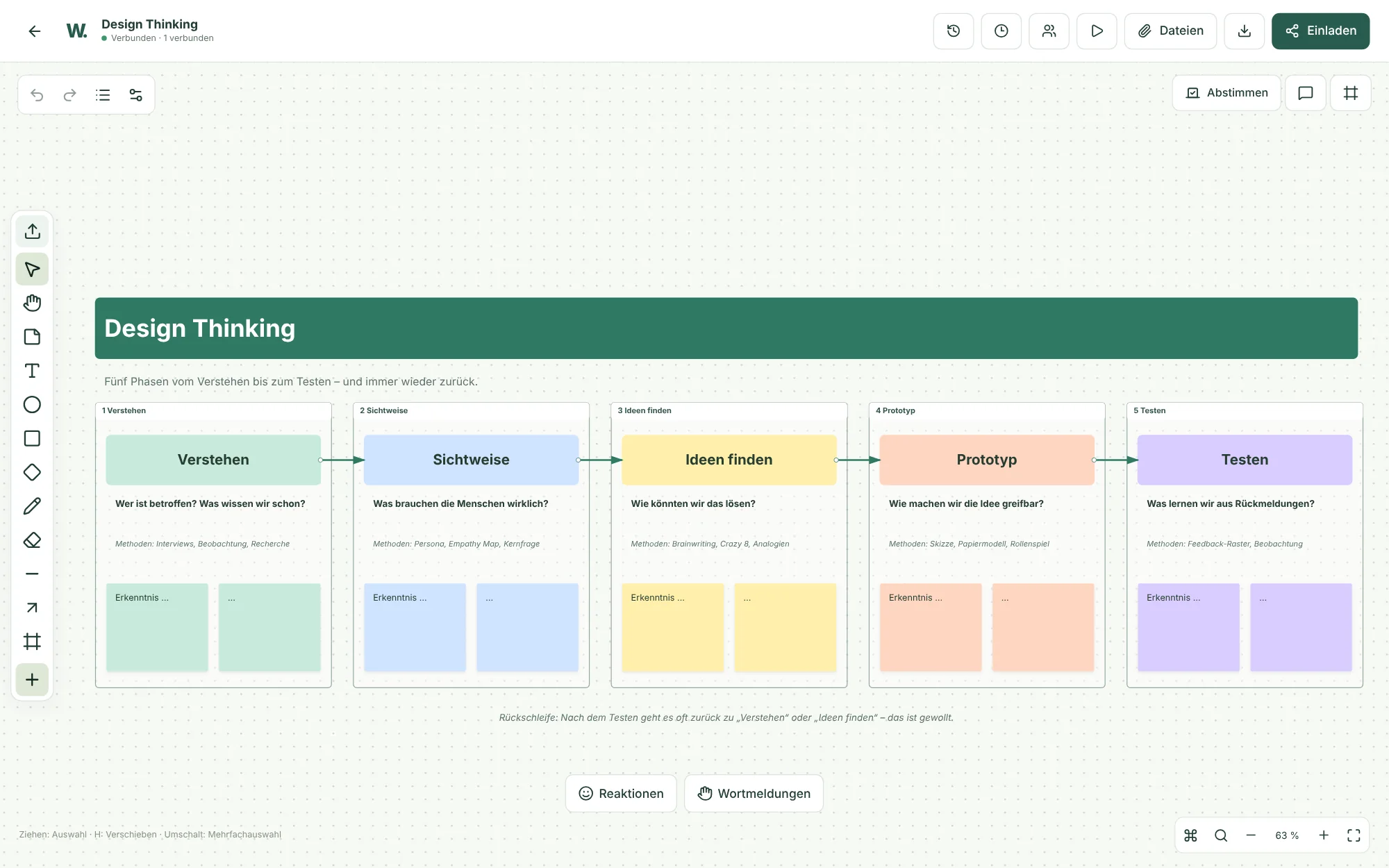
A workshop with WiBo
Pick a template or build your own board, create frames as sections, enter times and instructions.
Team members via their account, guests via a link with suitable rights and duration.
Notes, mind maps, images and PDF pages, all at the same time and live.
Present, start the timer, keep raised hands and reactions in view.
Dot voting on the best ideas, compare results, record actions.
PDF, CSV, Markdown minutes or board archive; the board stays for further thinking.
What does WiBo do?
WiBo combines the open surface of a whiteboard with structure when you need it: templates, mind maps, kanban and timelines for the work, agenda, timer and presentation for workshops.
Plans sections and times, presents, controls the timer and keeps raised hands in view.
Collects, sorts and decides together, live and with a traceable history.
Join via a link, with exactly the rights they need.
Features
BOARDS & TEAMS
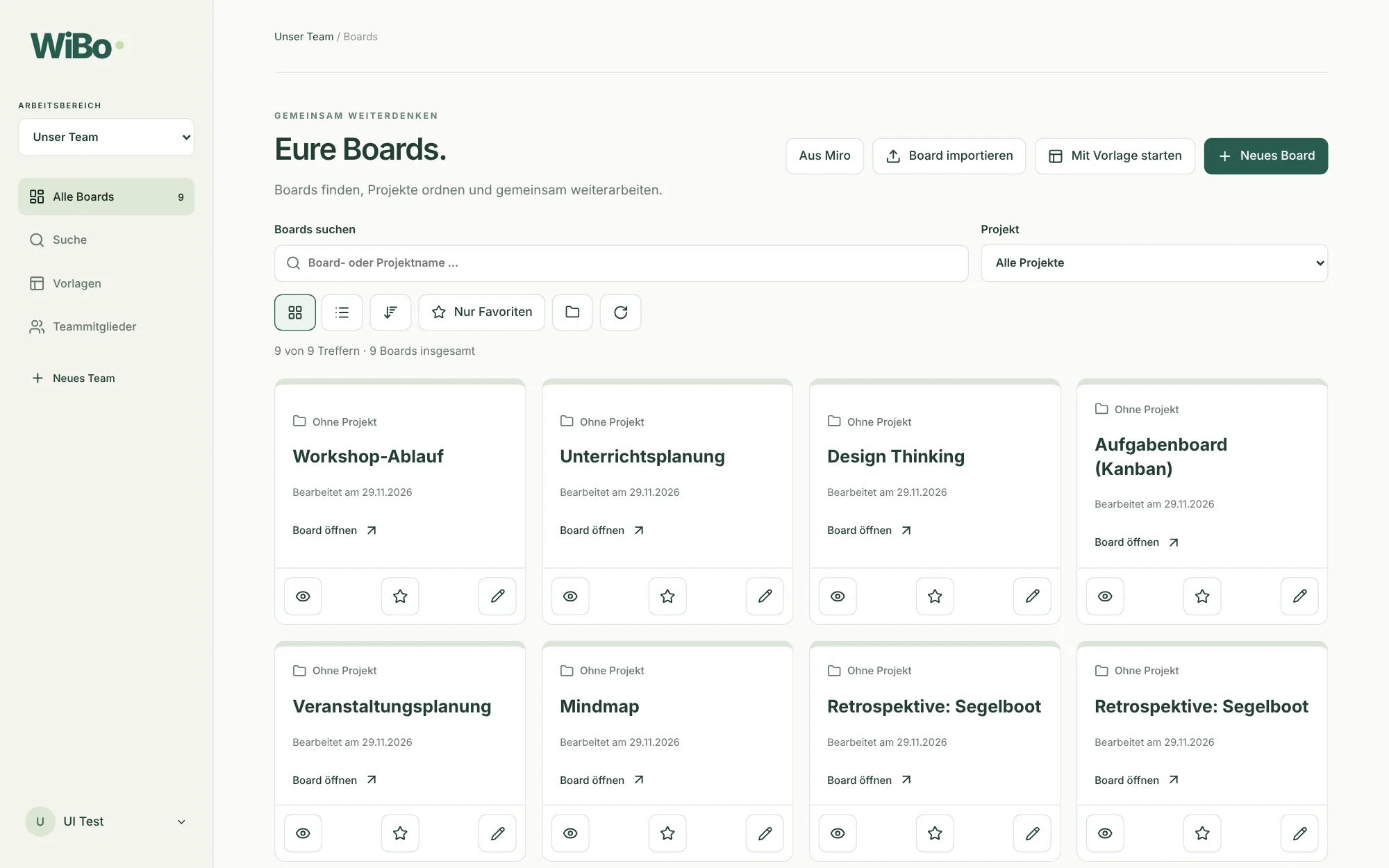
Teams organise their boards in projects, mark favourites and find every board again via search, sorting and preview. Rights apply per team and can be refined per person and board.
Example: An association creates one project per working group. The board marks the boards of the current retreat as favourites and finds older results via search.
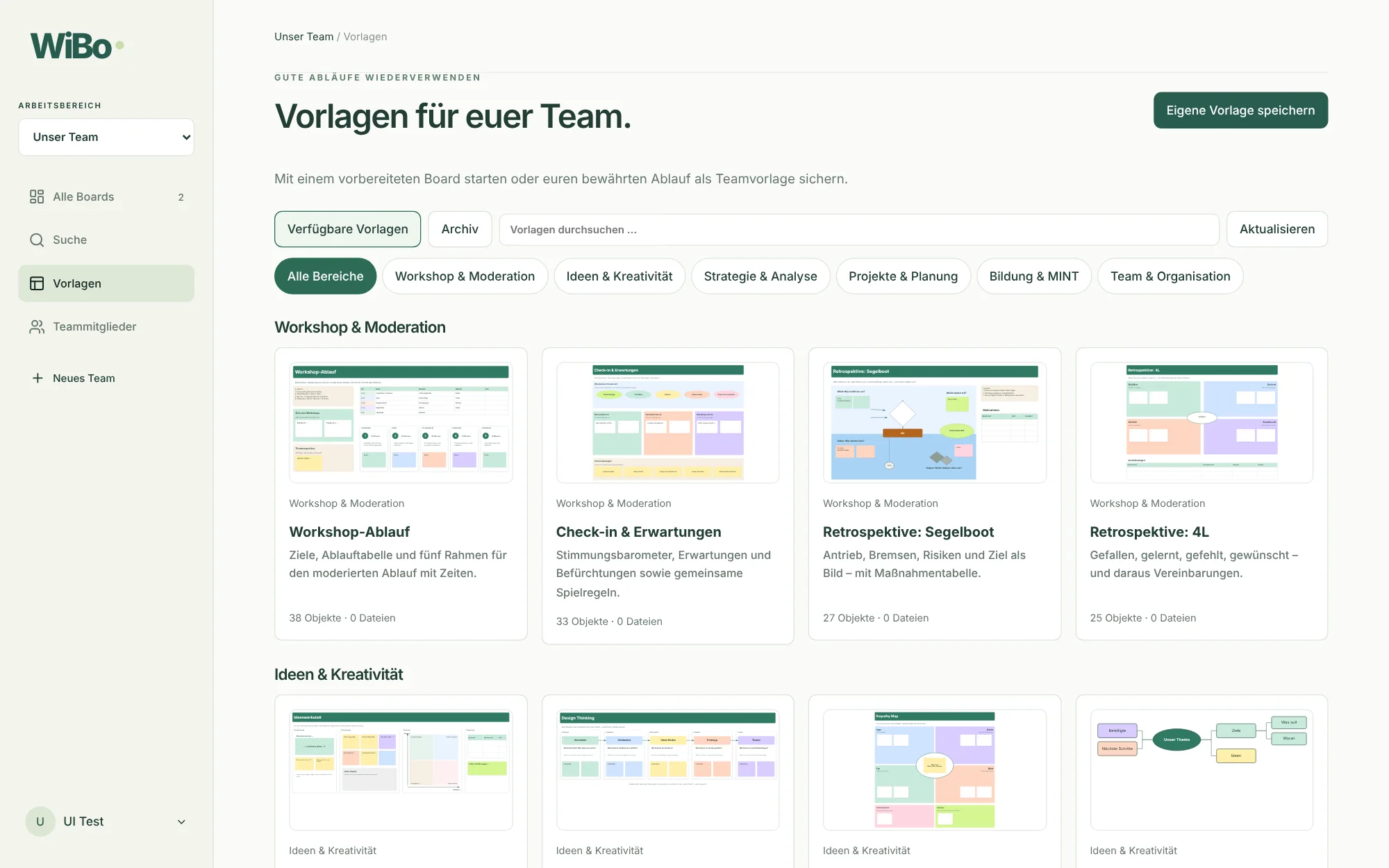
TEMPLATES
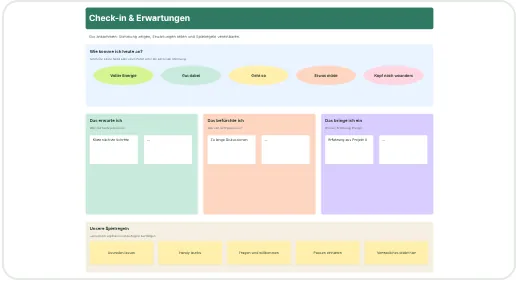
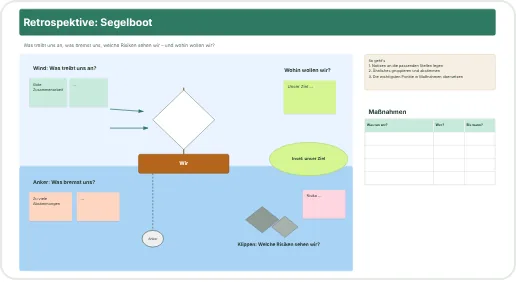
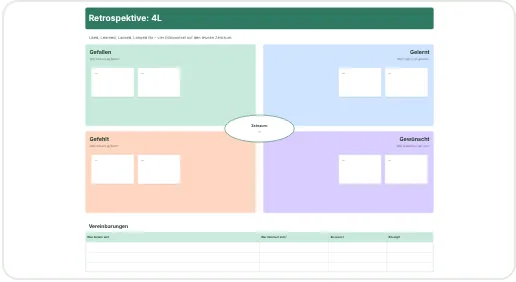
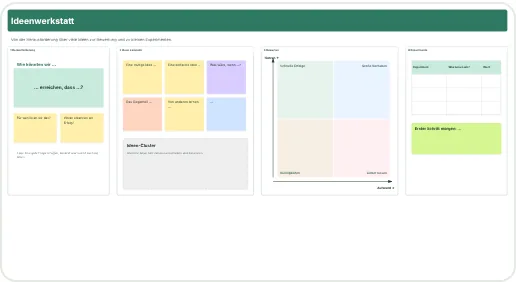
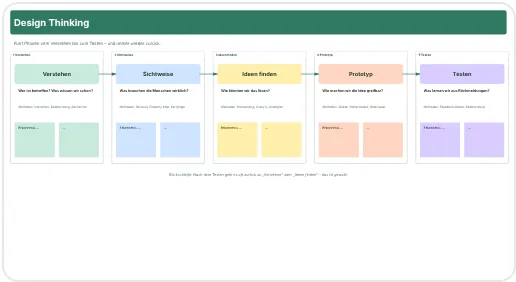
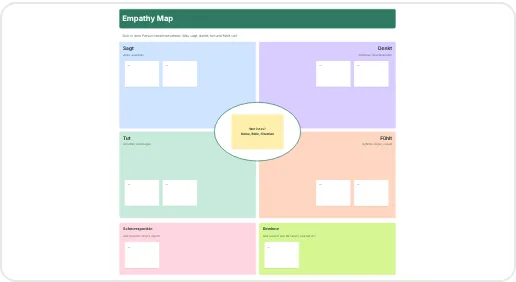
From check-in and retrospective via SWOT and project timeline to lesson planning: each template starts as its own board with structure, guiding questions and examples.
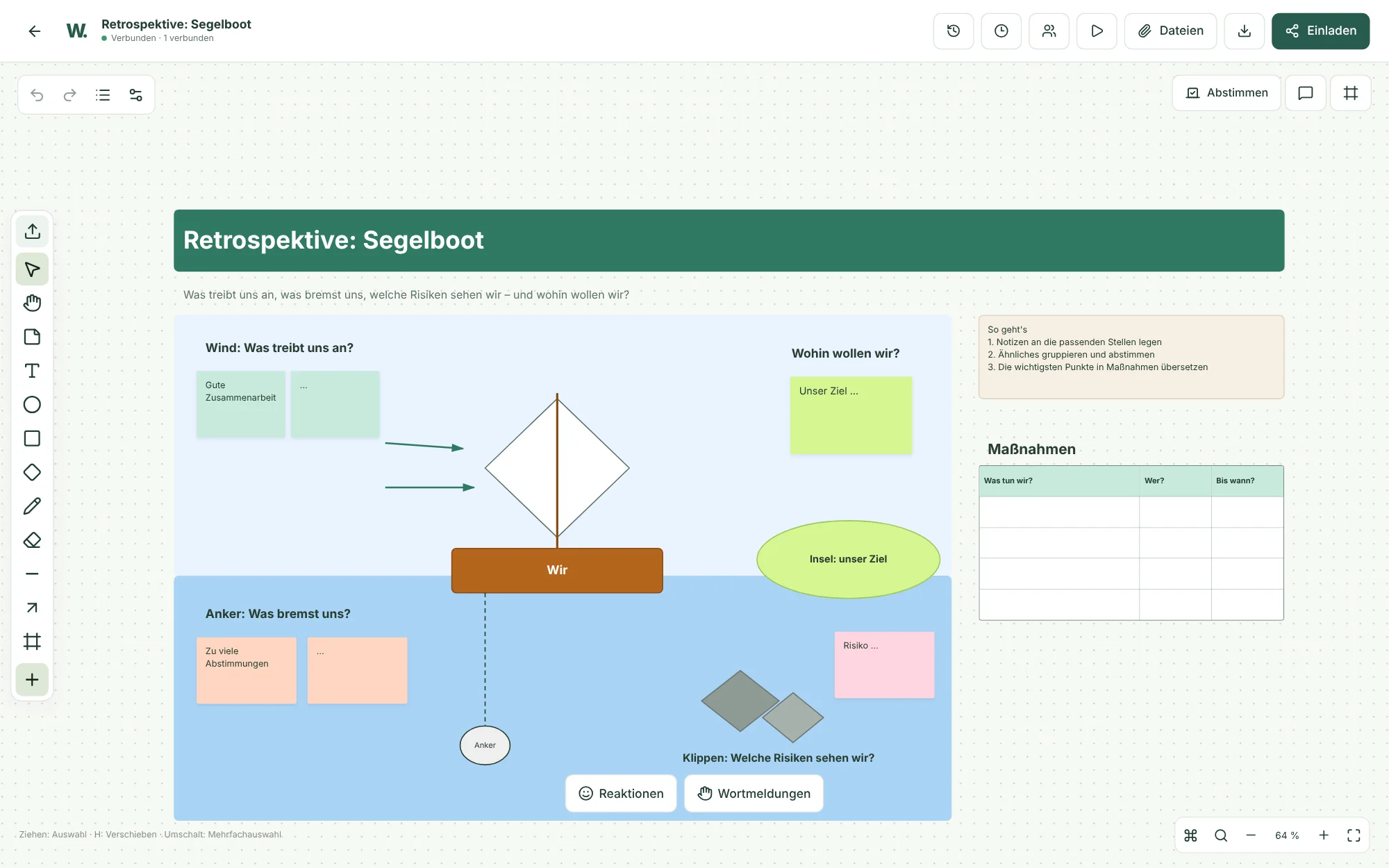
Example: After every project a team uses the “Sailboat” retrospective and has turned it into its own template with fixed action fields.
MIND MAPS
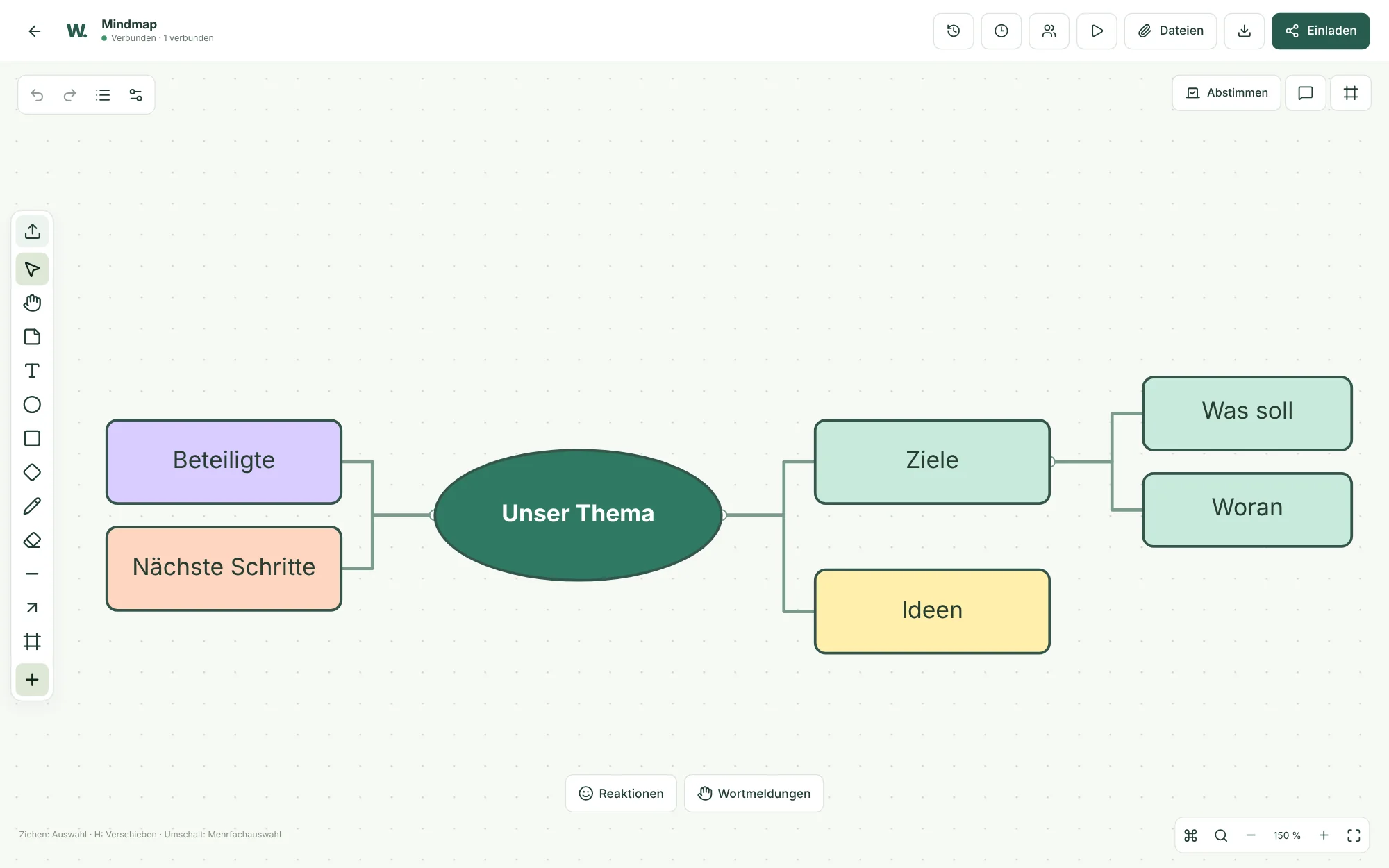
Mind maps grow from the keyboard: Tab adds a subtopic, Shift+Enter a sibling. The layout arranges itself automatically on both sides.
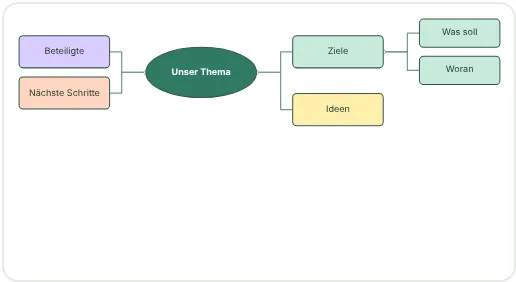
Example: At the start of a project the team collects stakeholders, goals, ideas and next steps in a mind map.
KANBAN
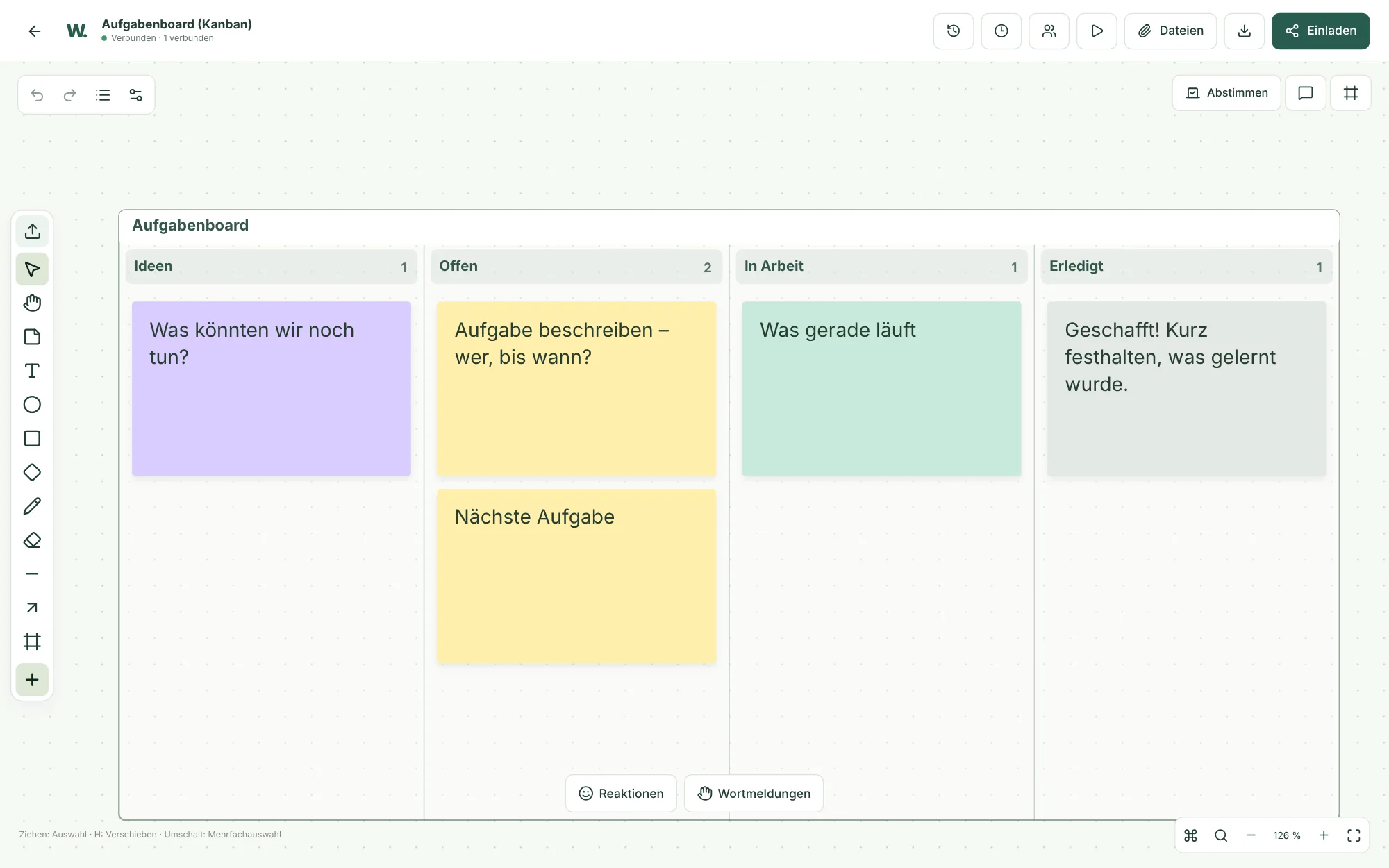
Notes and shapes in a kanban column line up automatically. Columns can be renamed, added and removed; any frame can become a kanban.
Example: After a workshop the actions are moved straight into a task board with “Open”, “In progress” and “Done” on the same board.
TIMELINES & TABLES
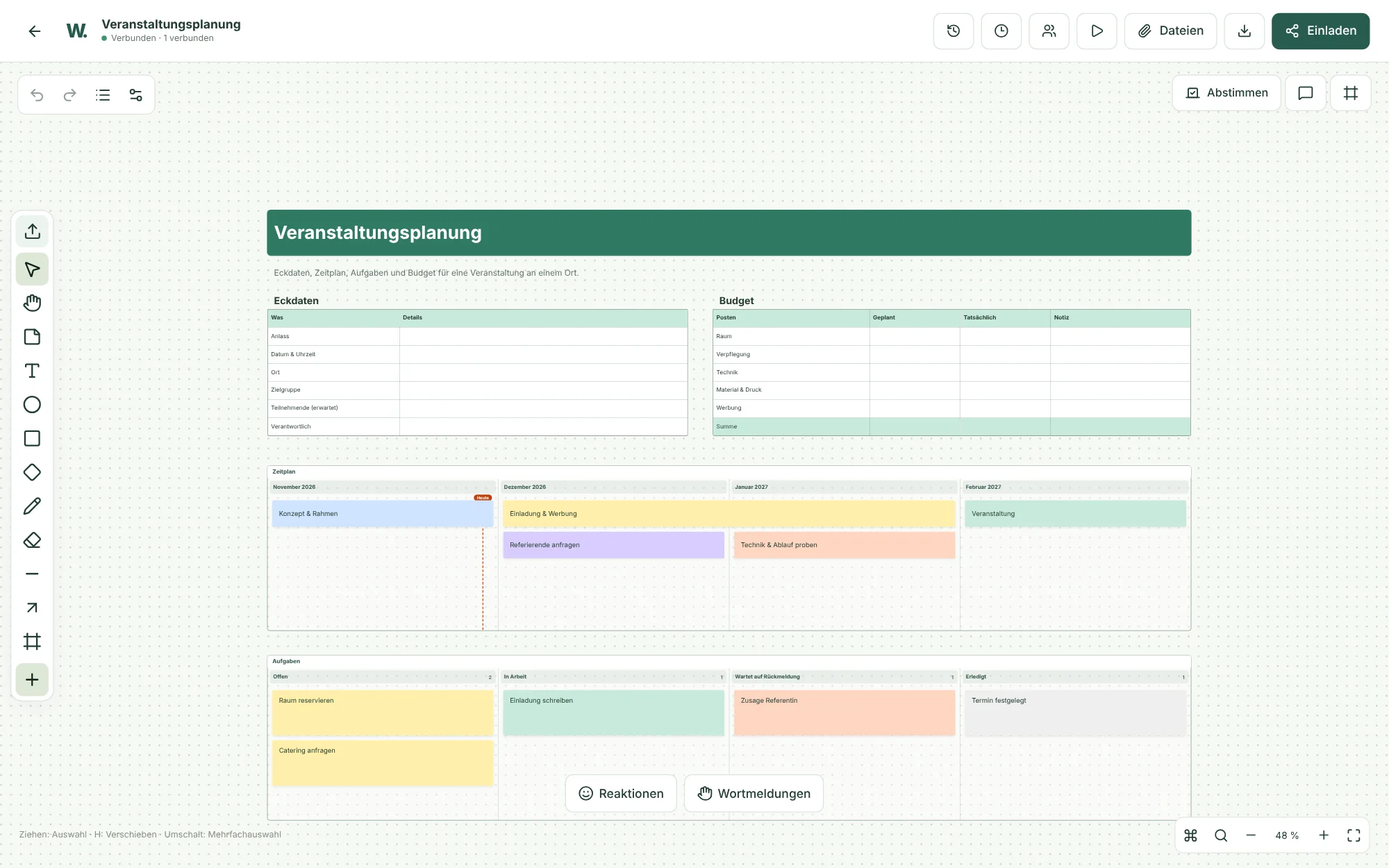
Timelines show days, weeks or months as columns; notes line up by date and today is marked. Edit tables in the table editor or paste ranges straight from Excel or Calc.
Example: The “Event planning” template combines key facts, budget, a four-month schedule and a task board on one board.
WORKSHOP MODE
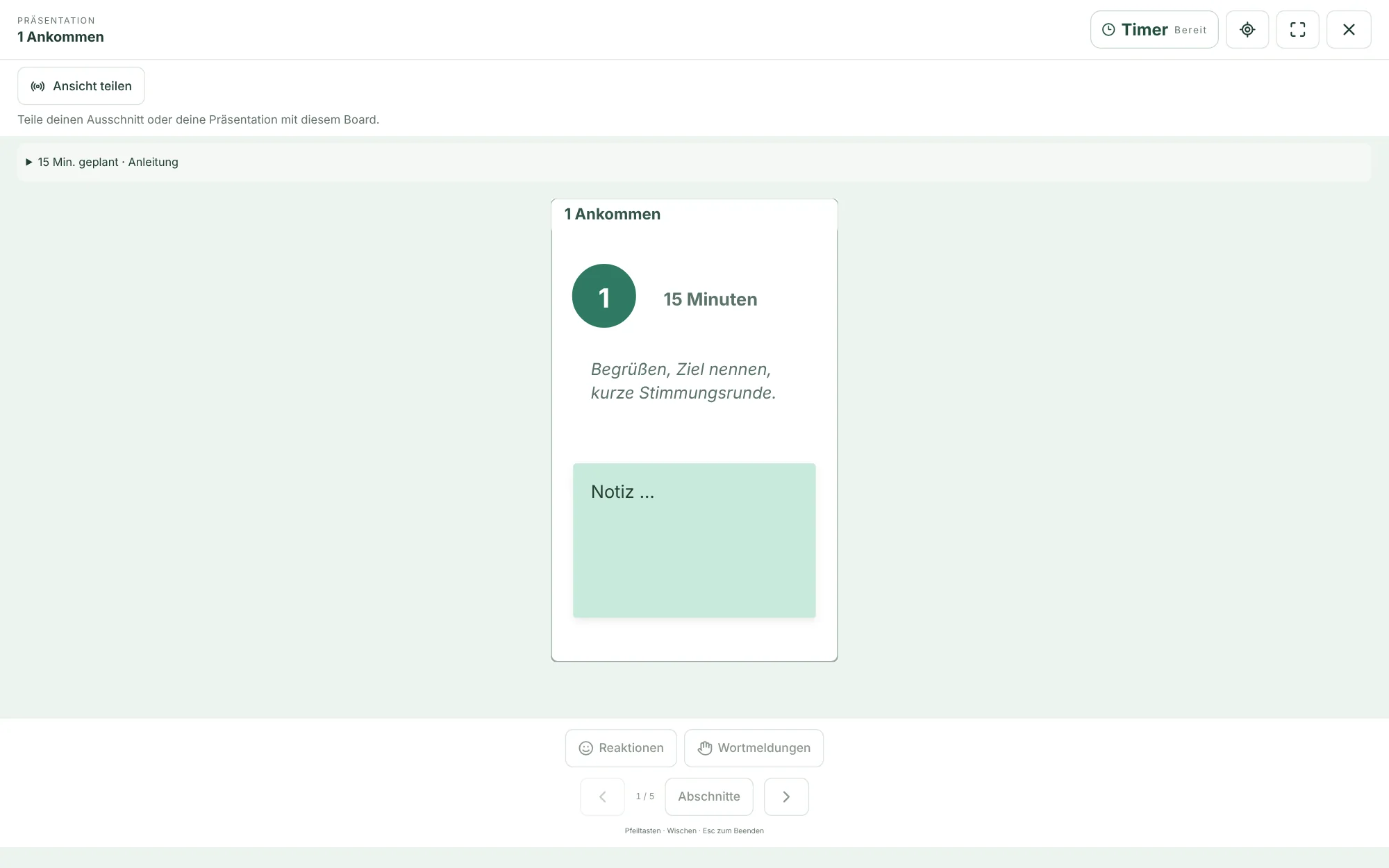
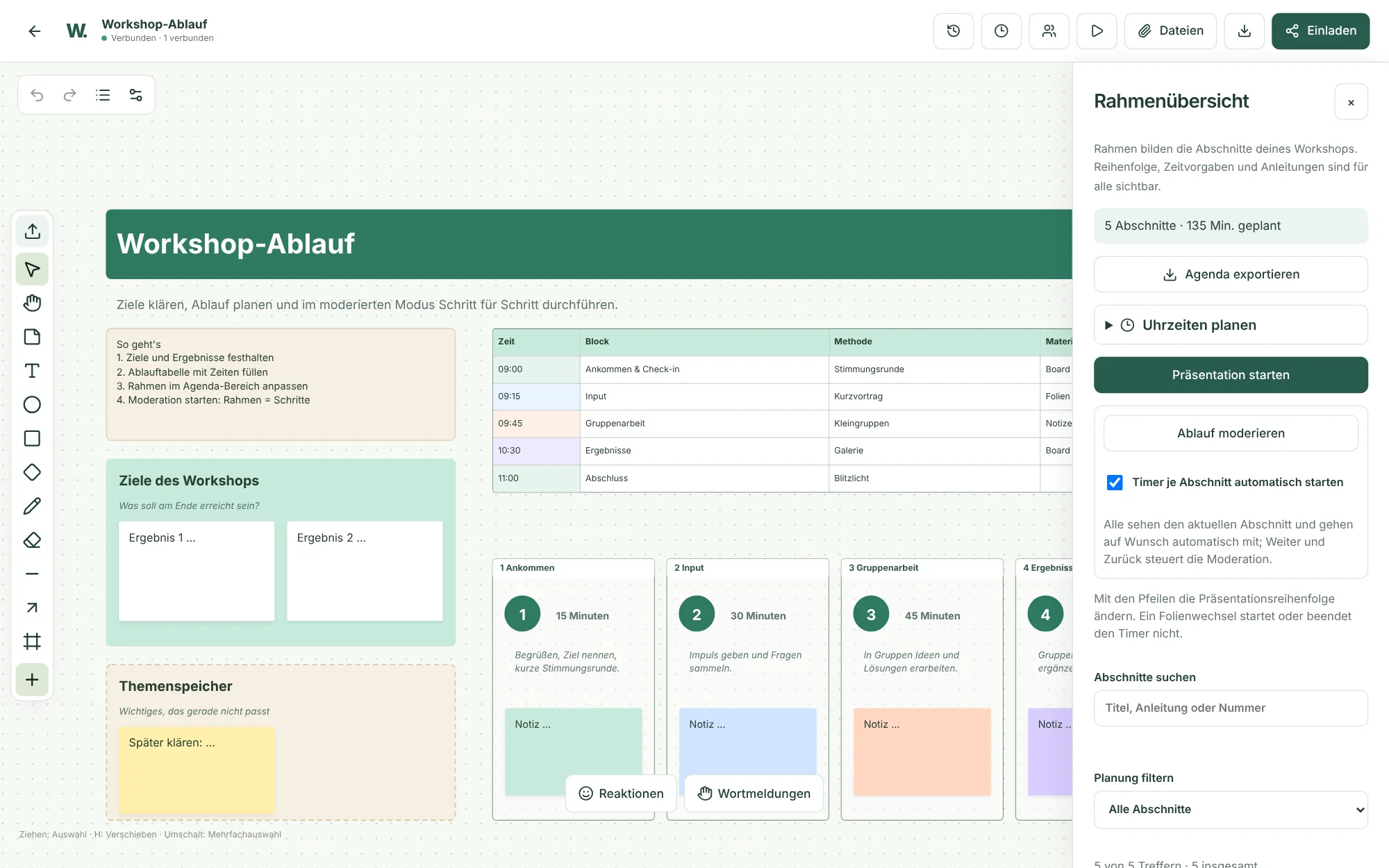
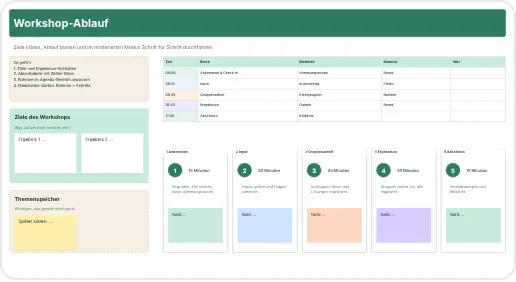
Every frame becomes a section of an agenda with instructions and planned minutes. WiBo calculates start and end per section, and the shared timer takes over the section length on request.
Example: A morning with five sections between 9:00 and 12:30: the facilitator sees that group work takes ten minutes longer and re-plans the end.
PRESENT & FOLLOW
Frames become slides in agenda order. Participants follow the shared view, can pause briefly and catch up with “Follow live”.
Example: At a retreat the facilitator presents the flow; two participants stay on a slide to read a table and then catch up with one click.
PARTICIPATION
Dot voting, comments with replies, live reactions and hand raising make sure everyone is heard, including guests via a link.
Example: In the retrospective everyone puts three dots on the most important brakes; the results go into the minutes as CSV.
What a workshop feels like
Simplified animation with sample content.
Ideas for the retreat
Templates
22 templates for workshops and facilitation, ideas, strategy, projects, education and team organisation, plus your own team templates.
LiveWorkshop mode
Agenda with times, shared timer, presentation with follow mode, raised hands and reactions: for facilitators and participants at a glance.
In motion
Original views with sample boards, no sound.
Operation
WiBo runs as its own instance. We run it for you or manage it on your hardware; single sign-on, backups and interfaces included.
Boards can be taken over via the Miro API, Mural via CSV. We are happy to discuss what your move could look like.